
What if getting somewhere safely mattered as much as getting there quickly?
What if getting somewhere safely mattered as much as getting there quickly?
SecurePath is a mobile navigation app designed to help students make more informed decisions when traveling around campus.
It combines mapping, crime-related data, and community reports to provide safety-focused route recommendations.
I worked as Project Leader, UI Designer, and Front-end Developer, taking the project from planning and interface design through implementation.
SecurePath is a mobile navigation app designed to help students make more informed decisions when traveling around campus.
It combines mapping, crime-related data, and community reports to provide safety-focused route recommendations.
I worked as Project Leader, UI Designer, and Front-end Developer, taking the project from planning and interface design through implementation.
ROLE
Project Leader
UI Designer
Front-End Developer
STATUS
Completed
TYPE
Academic Capstone
Android
AI
TOOLS



Leaflet
Problem
Problem
Navigation tells you where to go—but not necessarily which route feels safer.
SecurePath was created to bring safety information into the navigation experience for students traveling around the university area.
Navigation tells you where to go—but not necessarily which route feels safer.
SecurePath was created to bring safety information into the navigation experience for students traveling around the university area.
Navigation tells you where to go—but not necessarily which route feels safer.
SecurePath was created to bring safety information into the navigation experience for students traveling around the university area.
Solution
Solution
Safety-aware navigation built around the map.
Safer route suggestions based on crime and safety data
Community reports and route feedback
Real-time location tracking
Route ratings after completing a trip
Safety-aware navigation built around the map.
Safer route suggestions based on crime and safety data
Community reports and route feedback
Real-time location tracking
Route ratings after completing a trip
Safety-aware navigation built around the map.
Safer route suggestions based on crime and safety data
Community reports and route feedback
Real-time location tracking
Route ratings after completing a trip
Results
Results
A working Android prototype with core navigation and safety features implemented.
Safe-route search and rerouting
Community reporting
Route rating and feedback
Location-based navigation
Requirements-based testing across core workflows
A working Android prototype with core navigation and safety features implemented.
Safe-route search and rerouting
Community reporting
Route rating and feedback
Location-based navigation
Requirements-based testing across core workflows
A working Android prototype with core navigation and safety features implemented.
Safe-route search and rerouting
Community reporting
Route rating and feedback
Location-based navigation
Requirements-based testing across core workflows
FINAL SCREENS


Purple
Purple
#AB8CE9
#AB8CE9
White
White
#FFFFFF
#FFFFFF
Green
Green
#5CDC8F
#5CDC8F
Gray
Gray
#F5F5F5
#F5F5F5


PROCESS
SETTING THE SCENE
What started as a navigation app became a safety-focused experience.
What started as a navigation app became a safety-focused experience.
SecurePath was designed around a simple idea: students shouldn't have to think only about where they're going, but also about the safety of the route they're taking.
The challenge was bringing navigation, safety data, location tracking, and community reports together without making the experience feel overwhelming.

BUILDING AROUND THE MAP
The map became the center of the experience.
The map became the center of the experience.
Because navigation was the primary task, I treated the map as the main interaction space rather than just another screen.
From there, I structured the experience around a simple flow:
Because navigation was the primary task, I treated the map as the main interaction space rather than just another screen.
From there, I structured the experience around a simple flow:
Find a destination → Check the route → Navigate → Rate or report
Find a destination → Check the route → Navigate → Rate or report
This helped keep the supporting features connected to the main purpose of the app.
This helped keep the supporting features connected to the main purpose of the app.
DESIGNING THE EXPERIENCE
Making safety information visible without getting in the way.
Making safety information visible without getting in the way.
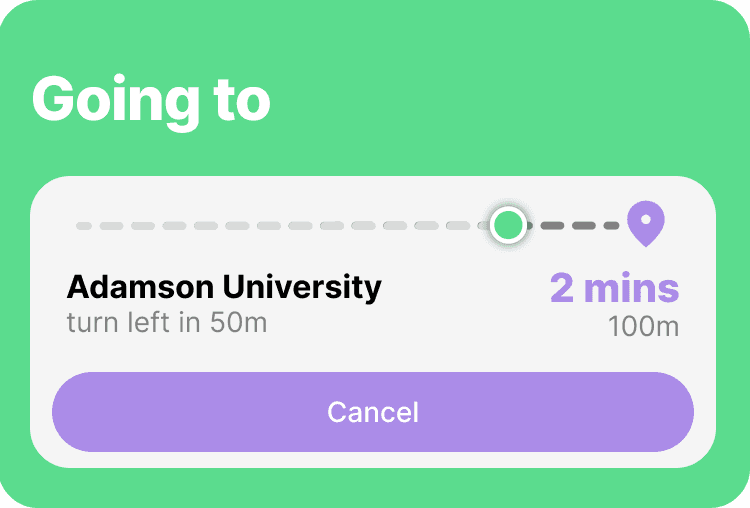
I designed the interface around the information users would need while navigating—route options, location, safety indicators, and actions for reporting or rating a trip.
The goal was to keep the interface simple enough for quick decisions while still giving users access to additional safety context.
I designed the interface around the information users would need while navigating—route options, location, safety indicators, and actions for reporting or rating a trip.
The goal was to keep the interface simple enough for quick decisions while still giving users access to additional safety context.

Nov 2024 U-Belt Route Safety Checker with Crime History Wireframe

Jan 2025 renamed SecurePath Wireframe
FROM INTERFACE TO IMPLEMENTATION
I wasn't just designing the screens—I was building them too.
I wasn't just designing the screens—I was building them too.
As the project's UI designer and front-end developer, I worked between Figma and Android Studio to translate the interface into the working application.
This also meant making design decisions with technical constraints in mind, particularly around maps, location services, and navigation behavior.
As the project's UI designer and front-end developer, I worked between Figma and Android Studio to translate the interface into the working application.
This also meant making design decisions with technical constraints in mind, particularly around maps, location services, and navigation behavior.
TESTING THE EXPERIENCE
We tested the flows that mattered most.
We tested the flows that mattered most.
The team created requirements-based test cases covering the application's core workflows, including login, location setup, route finding, rerouting, ratings, and reporting.
The goal was to make sure the main experience worked as intended from setup to navigation and feedback.
The team created requirements-based test cases covering the application's core workflows, including login, location setup, route finding, rerouting, ratings, and reporting.
The goal was to make sure the main experience worked as intended from setup to navigation and feedback.
REFLECTION
Designing and building the same product taught me to think beyond the screen.
Designing and building the same product taught me to think beyond the screen.
Working as both the UI designer and front-end developer changed how I approached design decisions. I had to consider not only whether an interface made sense visually, but also how it would behave once implemented.
It also taught me that designing a navigation product means thinking about the whole journey, not just individual screens.
Working as both the UI designer and front-end developer changed how I approached design decisions. I had to consider not only whether an interface made sense visually, but also how it would behave once implemented.
It also taught me that designing a navigation product means thinking about the whole journey, not just individual screens.